360° Around-View Cameras for Commercial Vehicles
- Share
- publisher
- Vicky
- Issue Time
- Jan 6,2026
Summary
A 360° around-view camera joins several views around a commercial vehicle. Learn how it works, where images can mislead, and what fleets should test.
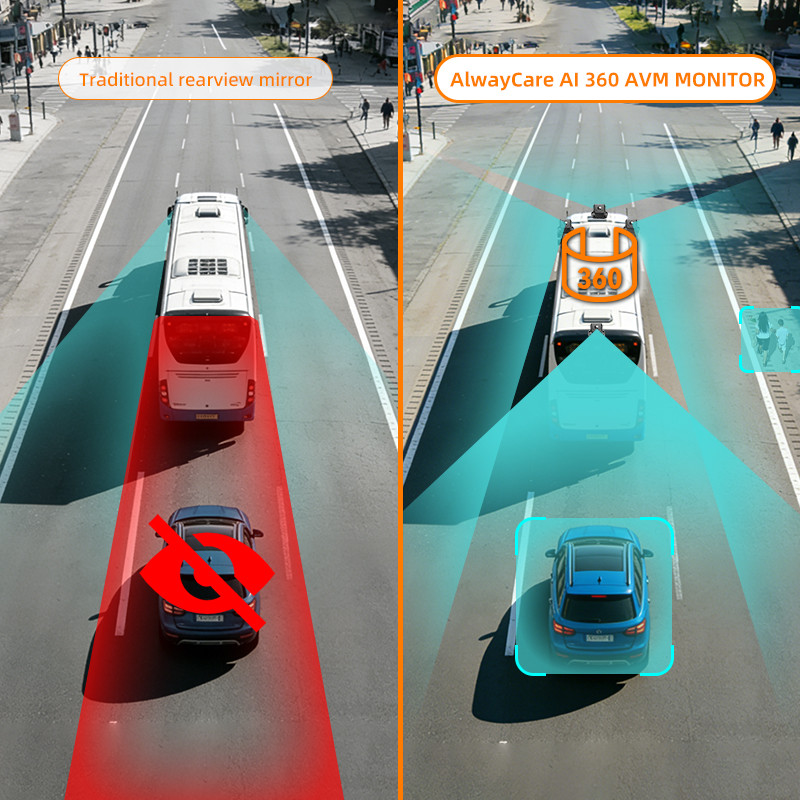
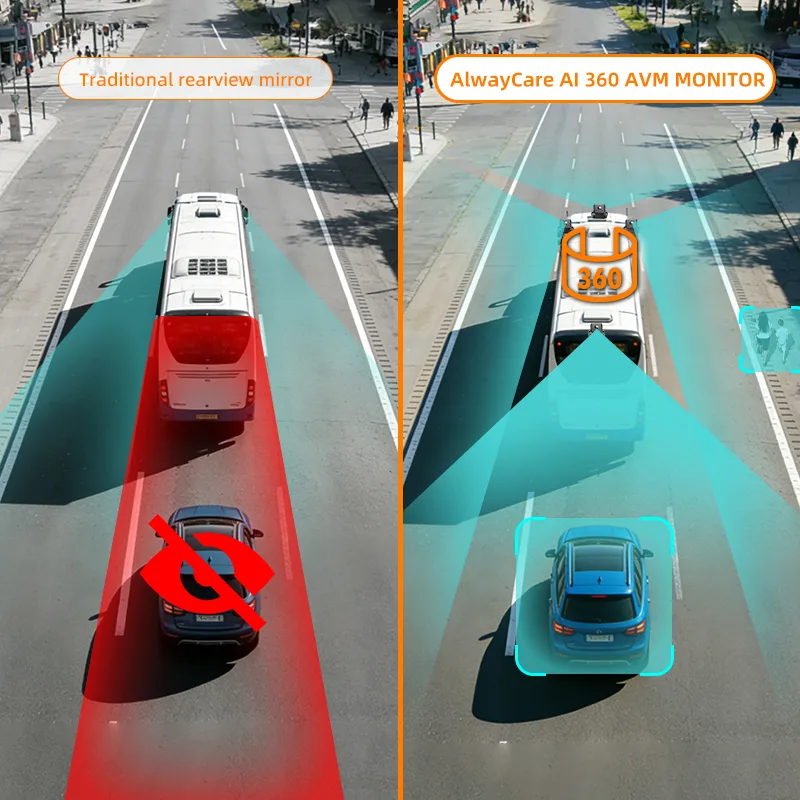
Around-View Camera Guide
A 360° around-view system joins several camera images into one top-down view around a vehicle. It can help during parking, loading and slow movement in tight spaces.
The short answer
An around-view monitor can show areas that are hard to see in mirrors. It is still a camera aid, not a promise that property damage will fall by 90%. The fleet must test the view, image joins and driver response on each vehicle type.
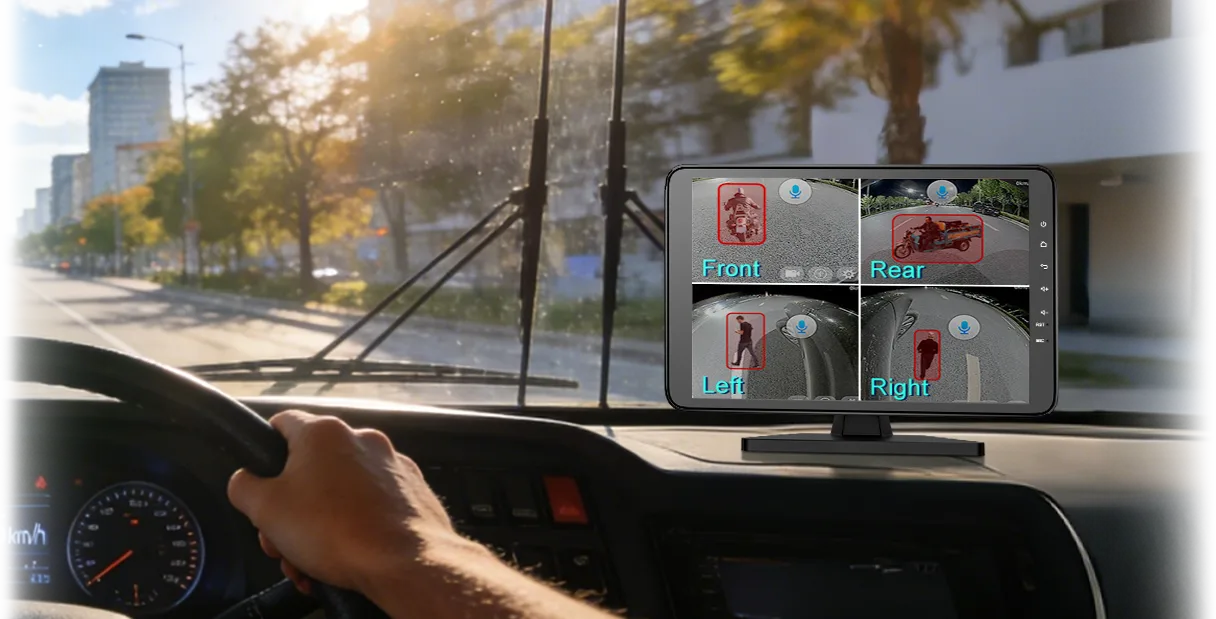
How does a bird's-eye view system work?
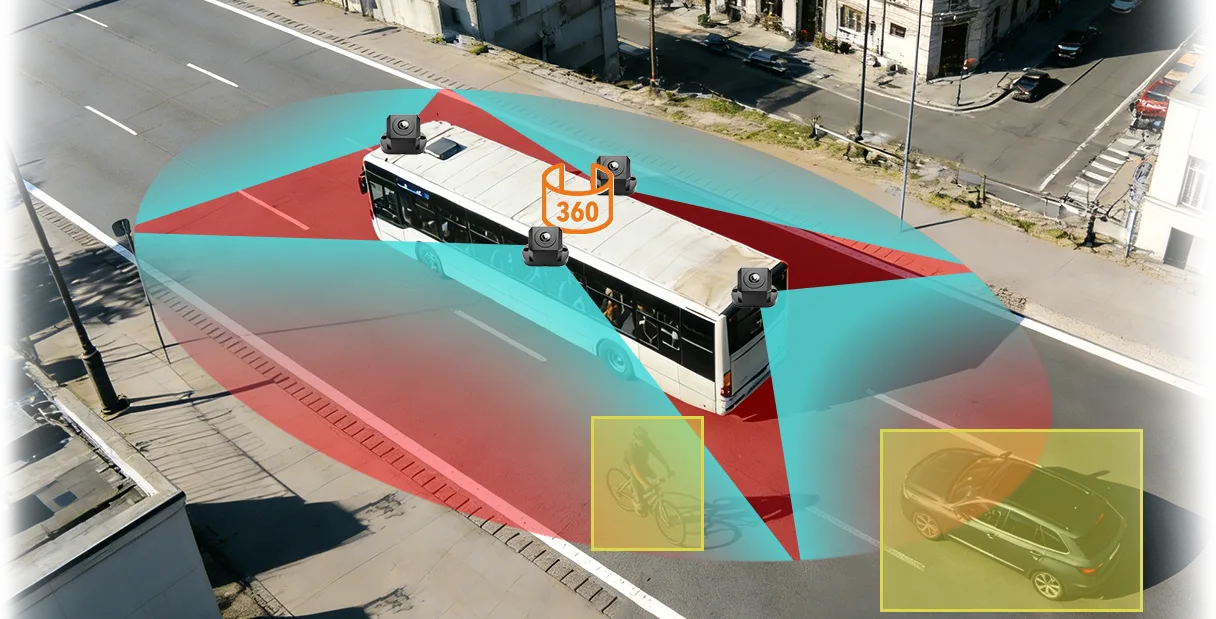
Cameras watch each side
Cameras are usually fitted at the front, rear and sides.
The system corrects the images
Software changes the wide camera views so they can be joined.
The images are stitched together
The monitor shows one view around the vehicle.
The driver checks the screen
The driver uses the view with mirrors, direct sight and site rules.
Where can the image be wrong?
- Join lines: a person or object can look bent near an image seam.
- Height: a tall object may look farther away in the top-down view.
- Dirty lens: mud, rain or dust can hide part of the image.
- Moved camera: a small position change can break the calibration.
- Low light: dark areas or bright glare can reduce detail.
- Screen focus: the driver must not stare at the monitor and miss the real scene.
What should a fleet test before rollout?
Vehicle outline
Check that the shown body shape matches the real vehicle.
Close objects
Place safe test objects at corners, sides and the rear.
Moving people
Test controlled walking paths across camera joins.
Driver task
Define when to stop, use a spotter or leave the vehicle.
NIOSH advises that cameras and proximity warnings should support other safe work practices. Do not rely on only one safety layer.
Where does M360-3 fit?
The AlwayCare M360-3 is a 10.1-inch all-in-one monitor. Its product record lists 1080p recording, 2D and 3D views and 128GB storage.
It can support close movement on trucks, buses and work vehicles. Installation and calibration must match the vehicle body and camera positions.
Common questions
Does 360° mean the driver can see everything?
No. Image joins, dirt, height and camera position can still limit the view.
Can the system replace a spotter?
Not in every task. The site should decide when a spotter or exclusion zone is still needed.
Does the system stop the vehicle?
An around-view monitor normally shows video. Do not assume automatic braking unless the exact system provides it.
Key point to remember
A 360° view can make close movement easier to understand. It works best with correct calibration, clean cameras, driver training and safe site rules.
Explore the AlwayCare 360° solution or contact AlwayCare.
Information checked
This guide uses public NIOSH visibility guidance and the current M360-3 product record. It removes the unsupported 90% damage-reduction claim.